How Many WhatsApp Accounts Do You Need to Send 10,000 Messages a Day?
Divide your daily target by each number's safe daily limit, then add about 20% spare numbers. In Wassuply, that limit runs from 30 messages a day for a number under 3 months old to 250 for one over 3 years old. So 10,000 a day needs at least 40 old numbers, 48 with spares, or hundreds of new ones.
- Formula: numbers needed = daily target ÷ safe daily limit per number, plus about 20% spares.
- Safe daily limit in Wassuply, clean history: 30 (under 3 months), 50 (3-6 months), 80 (6-12 months), 150 (1-3 years), 250 (over 3 years). Lower after a ban or heavy use.
- 10,000 a day takes 40 numbers over 3 years old, 67 numbers aged 1-3 years, or 334 brand-new ones, before spares.
- Warm-up first: at least 15 days for a new number, 30 recommended. A number's first campaign is half its safe daily limit, at most 100.
- Run them in one place: dozens of numbers are only workable in one app that keeps each isolated. See multiple WhatsApp accounts in one app.
The formula: daily target ÷ safe daily limit, plus spares
The maths is simple division. What matters is the number you divide by. WhatsApp doesn't publish a daily sending limit for the regular WhatsApp or WhatsApp Business app, so you have to set one yourself and stick to it.
In Wassuply, a Windows and Mac app for warming up and running many WhatsApp numbers, Health & Risk sets that limit for every number from its age, any ban history and how heavily it has been used. The app enforces the same figure when it sends. For numbers with a clean history, it looks like this:
| Number age (clean history) | Safe daily limit | Numbers for 10,000 a day | With 20% spares |
|---|---|---|---|
| Under 3 months | 30 | 334 | 401 |
| 3 to 6 months | 50 | 200 | 240 |
| 6 to 12 months | 80 | 125 | 150 |
| 1 to 3 years | 150 | 67 | 81 |
| Over 3 years | 250 | 40 | 48 |
History pulls the limit down. A number banned once gets 30% less, a number banned more than once gets half or less, and a heavily used number gets 25% less. Check each number's own figure in Health & Risk rather than assuming the top row.
How many numbers for 1,000 to 50,000 messages a day?
Here is the same maths for other daily targets, for the two age bands that make volume realistic.
| Daily target | Numbers aged 1-3 years (150/day) | Numbers over 3 years (250/day) |
|---|---|---|
| 1,000 | 7 | 4 |
| 5,000 | 34 | 20 |
| 10,000 | 67 | 40 |
| 25,000 | 167 | 100 |
| 50,000 | 334 | 200 |
These assume every number is fully warmed and sends its whole limit every day, so add your spares on top. If your list is small, send fewer, better messages: a personalised first line and a relevant offer reduce the blocks and reports that get numbers banned. Inside the app, the Sending Calculator runs the same maths for your own mix of numbers, and our WhatsApp bulk messaging cost calculator shows what that volume would cost on the Business API.
Why one number can't carry the whole load
WhatsApp's Terms of Service forbid bulk and automated messaging, and it doesn't tell anyone exactly what it measures. These are the patterns that raise a number's risk as its volume climbs:
- Volume and speed: hundreds of messages from one number in a few hours is not how people use WhatsApp.
- Repetition: at volume, even varied messages start to look alike. Spintax and personalised lines help.
- One-way traffic: lots of messages out and few replies back looks like a broadcast, not conversations.
- Reports and blocks: every extra send is another chance for someone to report you.
Spreading the volume across many numbers keeps each one inside a pattern that looks like a busy person, not a broadcast system. That's the whole reason to run several accounts. More on the signals in does WhatsApp detect automation?
How Wassuply spreads one campaign across many numbers
The hard part isn't the maths. It's running 40 or 70 numbers without logging in and out of WhatsApp Web sessions all day. Wassuply handles that in one app:
- Every number side by side. Unlimited numbers on one lifetime licence, each in its own isolated session with its own browser fingerprint and optional proxy, so you never log out to switch. How that works is on multiple WhatsApp accounts in one app.
- Rotation inside each campaign. Pick several numbers for a campaign and sends rotate between them in turn. A number that is disconnected, has hit its daily cap or is held for ban risk is skipped, and the others carry on.
- Health & Risk on every number. Days to warm, safe daily limit, first campaign size and a live 0-100 ban-risk score. Smart Send (when switched on) slows sending at 60 and pauses at 80, and a panic button stops everything.
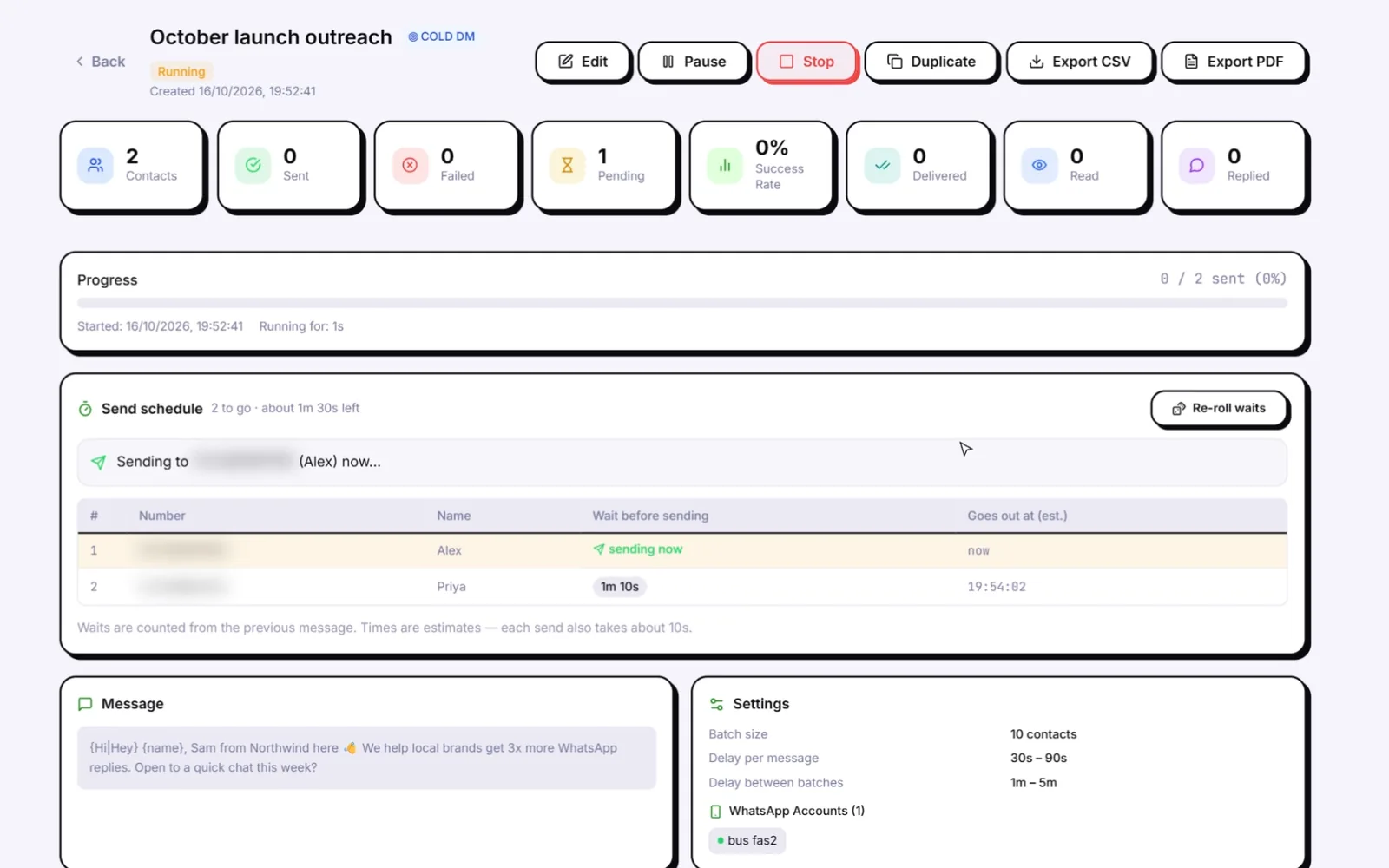
- Sending discipline. Random 30-90 second gaps, batches of 10 with 1-5 minute breaks, blackout hours and daily caps.
- Warm-up in parallel. All your numbers warm at the same time, with each other and with Warm-up Pod partners from other Wassuply users. See the WhatsApp warmer.
Personal WhatsApp or WhatsApp Business numbers?
Both work in Wassuply, which drives normal WhatsApp and WhatsApp Business through WhatsApp Web sessions, and Health & Risk uses the same age-and-history logic for both. Either way, every account needs its own phone number.
- WhatsApp Business adds a business profile, catalogue and opening hours. Worth it for the number customers reply to.
- Regular WhatsApp is fine for numbers that only do outbound first messages.
The two apps can sit on the same phone with two different numbers (WhatsApp Business App Store listing), and regular WhatsApp can now hold two accounts in one app on Android and iPhone. If you only need a couple of numbers on your computer, how to use multiple WhatsApp accounts on PC covers the free ways to do it.
Does the WhatsApp Business API change the maths?
It changes the rules more than the maths. From Meta's own documentation:
- Messaging limits: a new business portfolio can message 250 unique people in a rolling 24 hours outside a customer service window. The limit then steps up to 2,000, 10,000, 100,000 and unlimited as you verify the business and keep quality high, and it is shared by all the numbers in your portfolio (Meta messaging limits).
- Pricing: since July 1, 2025, Meta charges per delivered template message, by category (marketing, utility, authentication) and the recipient's country (Meta pricing).
- Templates: outside the 24-hour window after a customer's last message, a business can only send approved templates.
- Opt-in: WhatsApp's Business Messaging Policy, which covers both the Business app and the API, says to contact only people who gave you their number and opted in.
If your contacts have opted in and you message them at large scale, the API is the right tool. Cold outreach is a different job with different risks: read Wassuply vs the WhatsApp API and is cold WhatsApp outreach legal? before you choose.
The timeline: from zero to 10,000 a day
You can't connect 50 numbers today and send 10,000 messages tomorrow. Warm-up is the part that doesn't compress:
- Day 0: get your numbers (older numbers carry much higher limits), install Wassuply, connect them all and start warm-up.
- Days 1-14: warm-up only. Your numbers chat with each other and with Warm-up Pod partners, with random 30-120 second gaps, inside the hours you set. No campaigns.
- Day 15 (minimum) to day 30 (recommended): Health & Risk marks each number ready for a first campaign at half its safe daily limit, at most 100 messages.
- After that: scale each number toward its own safe daily limit, keeping an eye on its ban-risk score.
Young or previously banned numbers get longer plans: up to 60 days for a number under 3 months old, and longer still after a ban. Starting all numbers on the same day doesn't shorten anyone's warm-up; staggering start dates just means some numbers are ready sooner. The WhatsApp warm-up timeline has the day-by-day view.
Keep spare numbers warming
Numbers don't last forever. Even with careful sending, some will get restricted: a batch of recipients reports you, a SIM lapses, or WhatsApp tightens its detection.
The fix is spares. Keep about 20% more numbers warming than the maths says you need: if you need 40 sending, run 48. When a number's ban-risk score climbs, rest it and bring in a warm spare, instead of finding out from a ban. If a number does get banned, here's what to do next.
Unlimited numbers. One app. One lifetime price.
Every number isolated, warmed and sending under its own safe limit. Free account and download for Windows 10/11 and macOS 12+.
Frequently asked questions
How many messages can one WhatsApp number send per day?
WhatsApp doesn't publish a daily limit for the regular app. In Wassuply, Health & Risk sets a safe daily limit for each number from its age and history: 30 a day for a number under 3 months old, rising to 250 a day for a number over 3 years old with a clean history.
Can I use virtual numbers instead of physical SIMs?
Virtual numbers are hit and miss: some can't receive WhatsApp's verification code, and a number that looks disposable is a weak base for outreach. Real SIM or eSIM numbers on a normal mobile plan are the safer choice, and older numbers get much higher safe daily limits than brand-new ones.
Does Wassuply charge per account?
No. The lifetime licence is one payment ($397 during early access) for unlimited numbers (ports). Whether you connect 5 numbers or 500, the price is the same.
What's the minimum number of accounts I need to start?
One. A single warmed number is enough to test your message and your list. Add numbers as your volume grows, and keep a spare or two warming so you are never waiting 15 days for a replacement.
Do all accounts need to be from different carriers?
No. What matters more is that your numbers don't all share one IP address and one browser. That is why Wassuply gives each number its own isolated session, browser fingerprint and optional proxy.