Wassuply Demo: Real Recordings of the Warm-up and a Cold Campaign
This Wassuply demo shows the real Windows app in two unedited screen recordings: setting up a warm-up session so your WhatsApp numbers chat with each other, and building and launching a cold campaign with spintax, number selection and random sending gaps. Watch both below, then read the guide to each screen.
- Two unedited recordings of the real Windows app: creating a warm-up session, and building and launching a cold campaign.
- Warm-up: pick the numbers, set the session up, start it, and watch the numbers message each other in Live Activity.
- Cold campaign: a step-by-step wizard (script with spintax and {name}, sending numbers, settings) and a live send schedule with batches of 10, 30-90 second delays and 1-5 minute breaks.
- All your numbers sit in one app, side by side, with no logging out to switch.
Watch the Wassuply demo videos
Both videos are unedited screen recordings of the real Wassuply app on Windows, not mockups.
Video 1: setting up a warm-up session
The recording starts on the Warmup screen. It creates a new warm-up session, picks the WhatsApp numbers that take part, and starts it. Once the session is running, the Live Activity panel shows the numbers messaging each other.
Video 2: building and launching a cold campaign
The recording starts on the Cold Campaigns screen and walks through the New Outreach Campaign wizard: writing the script with spintax and the {name} merge field, choosing which numbers send, checking the settings, and launching. The campaign then runs on a live send schedule.
A tour of the screens in the demo
1. Connecting numbers
You connect each WhatsApp number by scanning a QR code, with no API and no verification. All connected numbers sit in one app side by side, each with its own isolated session, browser fingerprint and optional proxy, so there is no logging out to switch. That is what makes running multiple WhatsApp accounts on one PC practical for agencies.
2. Warm-up sessions and Health & Risk
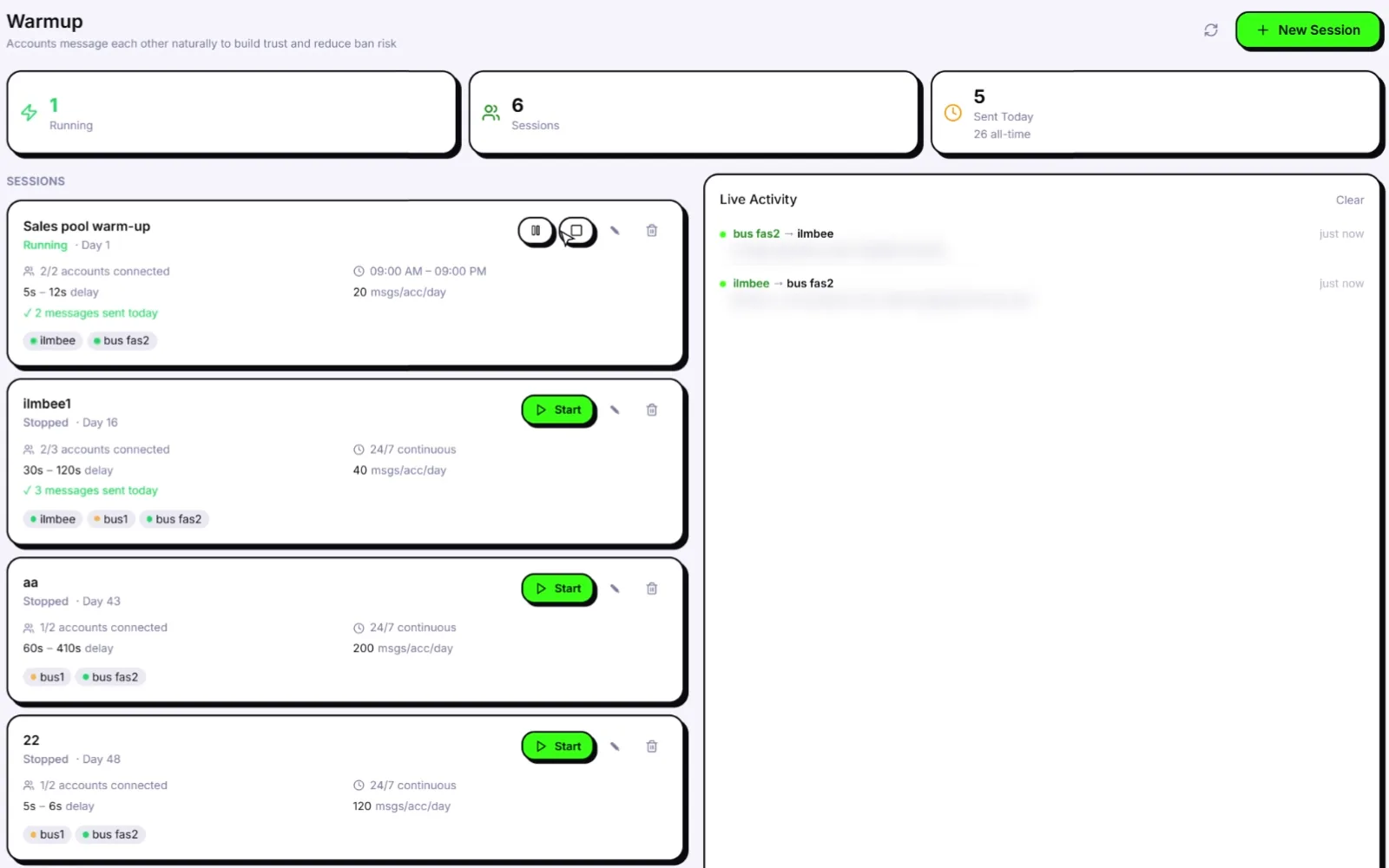
On the Warmup screen, each session card shows its numbers, delay range, schedule and messages sent today, and Live Activity shows the chats as they happen. Warm-up uses natural chat lines, never repeated by the same sender, with random 30-120 second gaps inside the hours you set. Health & Risk then gives each number a plan (days to warm, safe daily limit, first campaign size) and a live 0-100 ban-risk score, so you can see which numbers are still warming and which are ready. Read how the AI WhatsApp warmer works for the detail, or start with the WhatsApp warmer overview.
3. Campaign builder
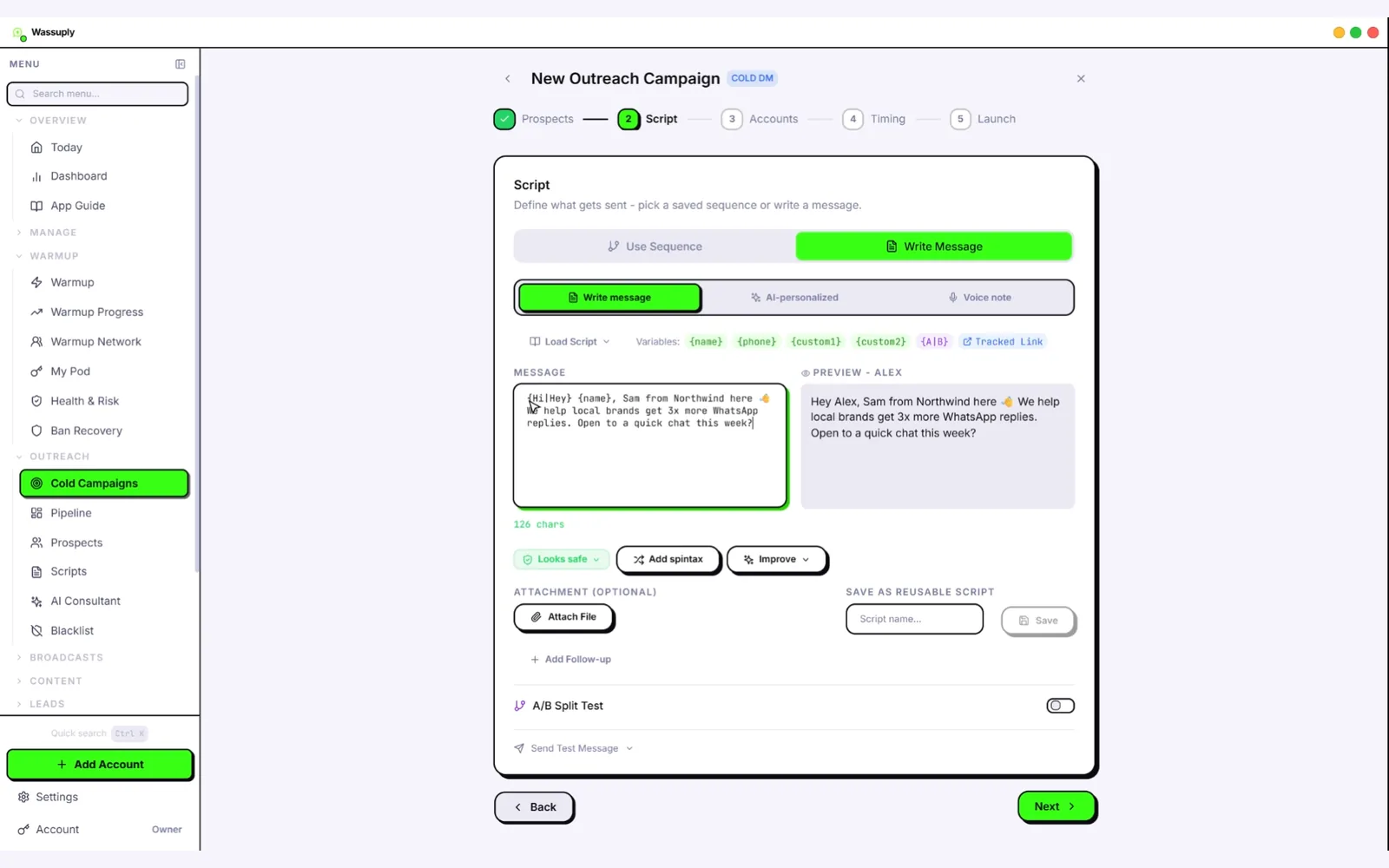
Import a CSV, map your columns to {name}, {phone}, {custom1} and {custom2}, and write the message with spintax so each contact gets different wording. The Script step has buttons to add spintax and to improve the draft with AI on your own key. You can also attach an image, video or document, or send an AI voice note.
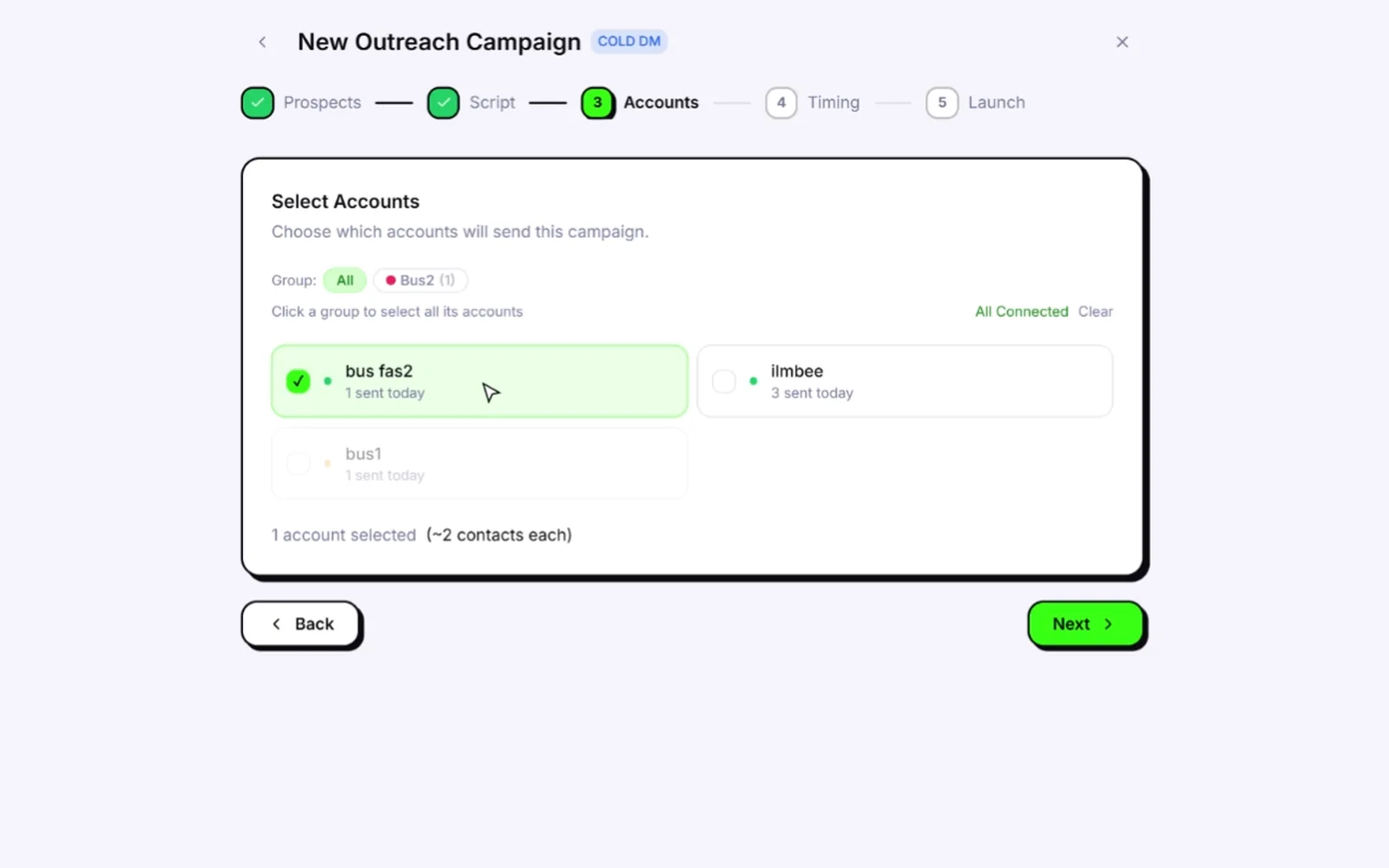
On the Accounts step you choose which warmed numbers send the campaign; each card shows how many messages that number has sent today. See the full feature list.
4. Sending settings
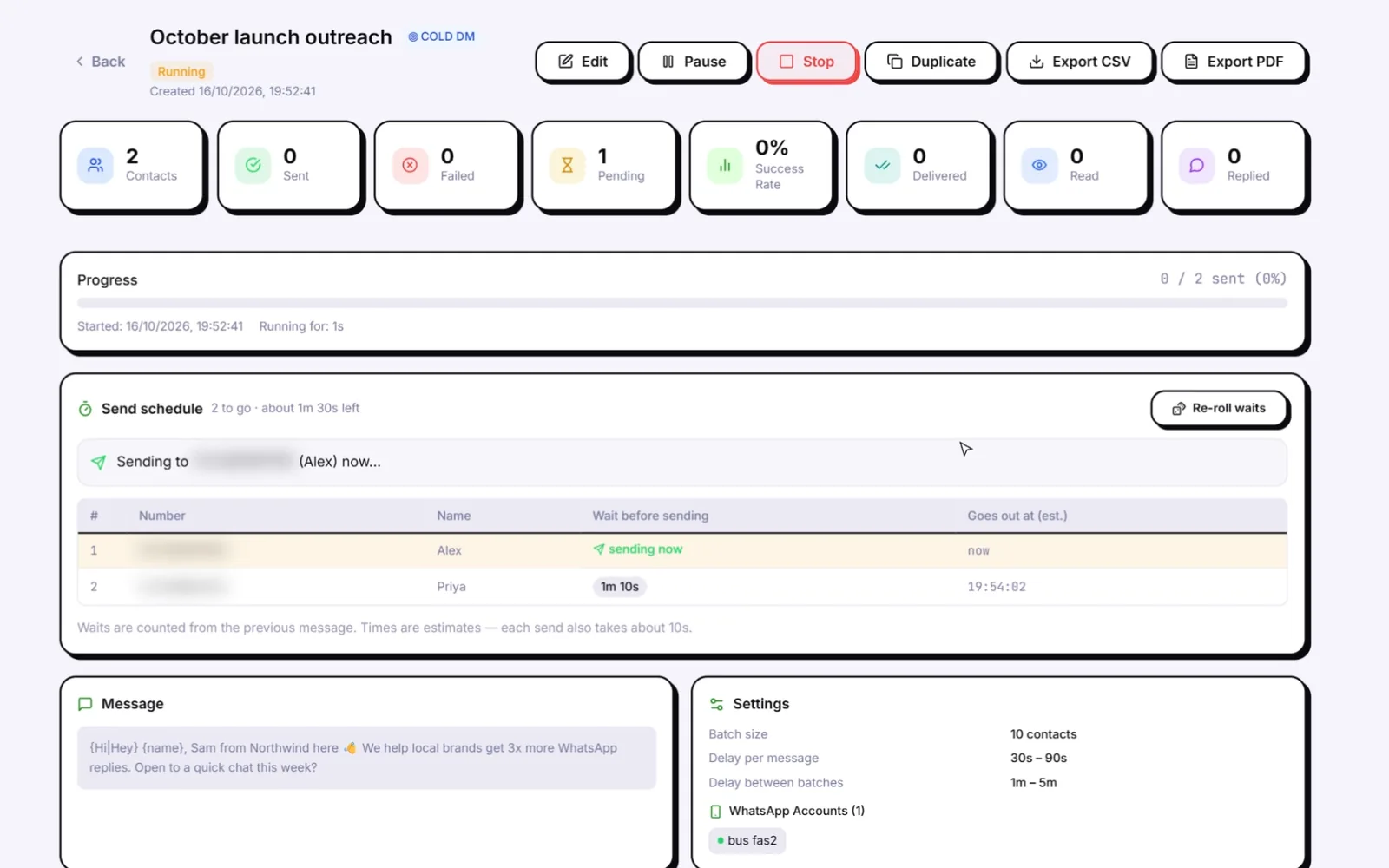
Campaigns send with random 30-90 second gaps, in batches of 10 with 1-5 minute breaks, outside your blackout hours and under each number's daily cap, and the live schedule shows the wait before each contact. Smart Send (when switched on) slows sending when a number's risk score reaches 60 and pauses it at 80. These are the controls behind the anti-ban system.
5. Results
Track delivery and replies as the campaign runs, and pause or resume it at any time.
Want a closer look?
The best demo is the app itself: the app and the account are free from the Wassuply download page (Windows 10 and 11), and warming and sending need an active licence. Read how to use Wassuply for the exact setup steps, or check whether it fits your volume in is Wassuply worth it.
Run your own demo.
Download free, connect your numbers and start warming. One-time $397 lifetime licence.
Get lifetime access · $397Frequently asked questions
Is there a Wassuply demo?
Yes. This page has two unedited screen recordings of the real Windows app: setting up a warm-up session, and building and launching a cold campaign. The best hands-on demo is downloading the free app and connecting a number.
What does the Wassuply dashboard look like?
It is one Windows app with a sidebar for Warmup, Health & Risk, Cold Campaigns and more. The Warmup screen shows each session with its numbers, delays and messages sent today next to a Live Activity feed, and the campaign wizard walks through the script, the sending numbers and the settings.
How do you connect a WhatsApp number to Wassuply?
You scan a QR code for each number, the same way you link WhatsApp Web. There is no API, no Business verification, and no template approval involved.
Can I see Wassuply before buying?
Yes. Watch the two demo recordings on this page, read the step-by-step usage guide, and download the app free: the app and the account cost nothing, and warming and sending need an active licence.