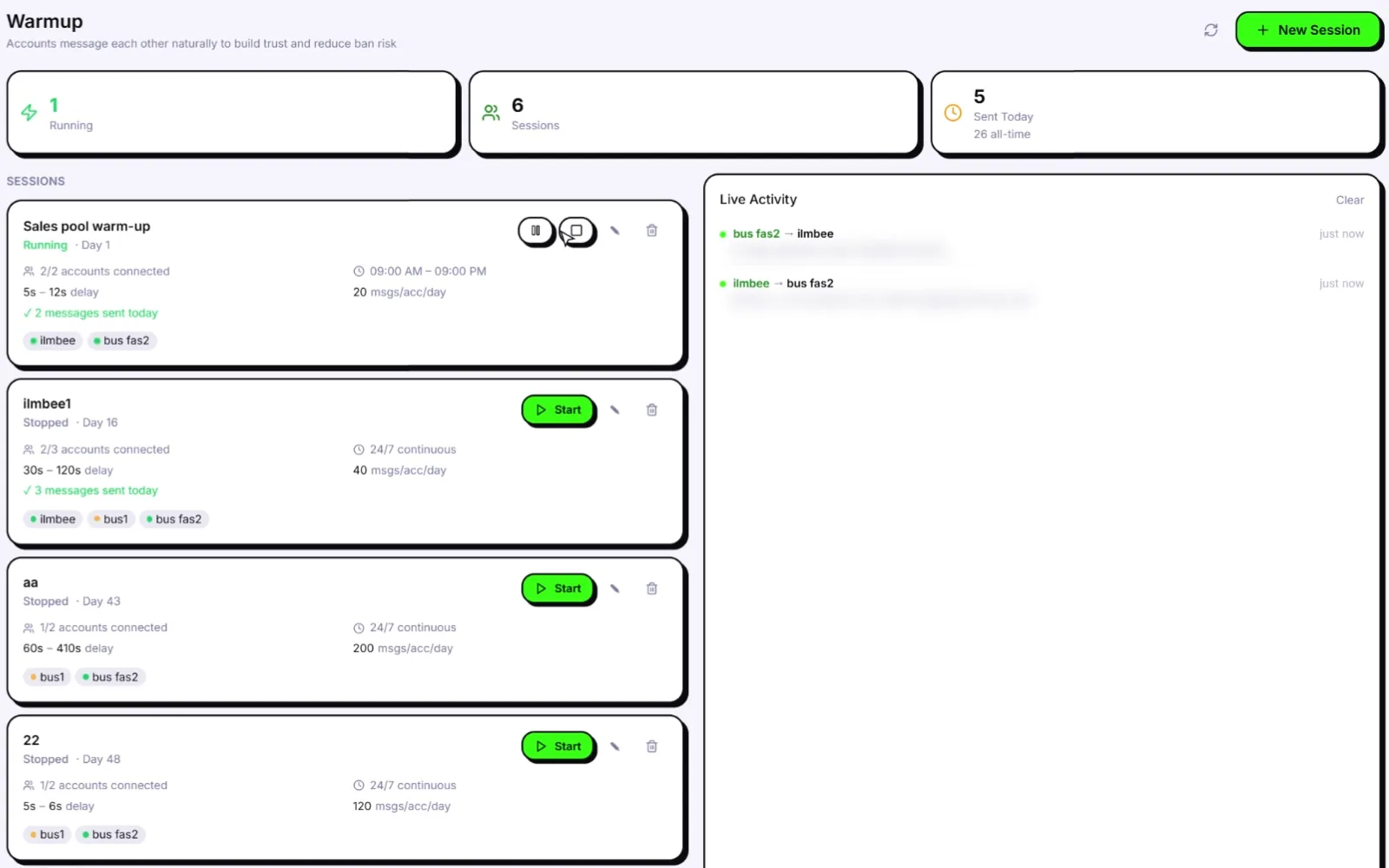
One Lifetime licence. No cap on how many WhatsApp numbers you connect. Your computer decides how many run at the same moment. When you outgrow it, you add power: more RAM, another computer or a Windows VPS.
Free account. Windows 10/11 and macOS 12+. One licence per machine, no cap on numbers.
Quick answer: Yes, it's unlimited. The Wassuply Lifetime licence has no cap on numbers. Every number you connect gets its own WhatsApp Web session, so how many run at the same moment depends on your computer's memory and processor. The rest wait their turn, and Wassuply opens them when they have work to do. One licence runs on one machine. To go bigger, add RAM, add another computer or rent a Windows VPS, each with its own licence.
Start here
What "unlimited" really means.
There's no cap on numbers. Connect as many as you need.
But every number is a real WhatsApp Web session, and sessions use memory.
So your computer, not your licence, sets how many run at once.
✕ The problem
Many tools charge per number.
You pay per number, seat or "port"
Add 10 numbers, pay 10 times
Growing costs more every month
✓ Wassuply's answer
One licence. No cap on numbers.
Pay once per machine
Connect as many numbers as you need
Every feature on every number
★ Why it works
You scale with hardware, not invoices.
More RAM, more numbers live at once
A second computer or VPS when you need one
Each extra number costs only its SIM and proxy
Many tools
Priced per number or "port". More numbers, bigger bill.
Wassuply
One payment per machine. Add numbers freely.
How the licence works
No cap on numbersConnect as many WhatsApp numbers as your machine can handle.
One licence, one machineEach licence activates on one computer or VPS. Free the seat in your portal to move it.
Every number isolatedIts own session, its own fingerprint, and its own proxy if you add one.
✓ The Wassuply benefit
Your costs stay flat while your number count grows.
No per-number fees
Every feature included
Scale when you're ready
The part that confuses everyone
Connected vs live: not the same thing.
Connected means the number is added to Wassuply and stays logged in.
Live means its WhatsApp Web session is open right now, chatting or sending.
You choose how many stay live in Settings, based on your computer. The rest take turns.
Unlimited numbers doesn't mean unlimited shortcuts.
Every number still needs its own setup to stay healthy.
Its own WhatsApp registrationRegister each number on a phone, then link it to Wassuply with a QR code.
Its own proxyOne residential or 4G proxy per number, so numbers aren't linked by IP.
Its own fingerprintAutomatic. Every number gets one, on by default.
A warm-up first15 days minimum, 30 is better, before cold outreach.
Its main phone online now and thenWhatsApp logs out linked devices if the main phone stays offline too long.
A safe daily limitHealth & Risk gives every number one, based on its age and history.
✓ The Wassuply benefit
Every number you add gets the full anti-ban stack, not a watered-down version.
Own session and fingerprint
Warm-up and Pods
Health & Risk
Unlimited numbers FAQ
Is Wassuply really unlimited?
Yes. The Wassuply Lifetime licence has no cap on how many WhatsApp numbers you connect. What limits you is hardware: how many numbers run at the same moment depends on your computer's memory and processor.
How many WhatsApp numbers can run at the same time?
It depends on your computer. Each live number is its own WhatsApp Web session, so memory runs out first, then the processor. You choose in Settings how many stay live; the rest wait their turn and open when they have work to do.
Do numbers that aren't live stay logged in?
Yes. A number that isn't live keeps its saved session and reopens without a new QR scan. WhatsApp sees it go offline and come back, like closing a WhatsApp Web tab and opening it again.
Can I run Wassuply on a VPS?
Wassuply runs on Windows, so a Windows VPS or cloud PC with a desktop is a good option when you want it running all day. We haven't officially tested VPS providers yet, so start with one number. Give every number its own residential or 4G proxy, because VPS IP addresses are datacenter IPs.
Do I need a licence for each computer or VPS?
Yes. One Lifetime licence runs on one machine, with no cap on numbers on that machine. Each extra computer or VPS needs its own licence. Moving to a new computer? Free the old seat in your customer portal and sign in on the new one.
What computer do I need for Wassuply?
A Windows PC with Windows 10 or 11 (64-bit), or a Mac with macOS 12 Monterey or later. Beyond that, more memory (RAM) and more processor cores let more numbers run live at once, and an SSD and a stable internet connection keep everything smooth.
Can I use Wassuply on a Mac?
Yes. Wassuply runs on Mac (macOS 12 Monterey or later, Apple Silicon or Intel) as well as Windows. The same rules apply: no cap on numbers, one licence per machine, and how many run at once depends on your Mac's memory and processor.
How do I warm up hundreds of numbers?
In groups. Run several warm-up sessions with a handful of numbers each, start new numbers in waves rather than all on one day, and join Pods so your numbers also chat with other people's real numbers.
What does it cost to add more numbers?
Nothing on the licence. Each number only costs its WhatsApp number, often around $1 a month for a virtual number, and ideally its own residential or 4G proxy, usually a few dollars a month.
What happens when my computer is off?
Warm-up and campaigns only run while Wassuply is open and the computer is awake. Start them again when it's back, or turn on auto-start so warm-up picks up by itself. To run around the clock, use an always-on desktop or a VPS.