Is a WhatsApp warmer safe? What warming does, what it can't do, and how to judge one
No WhatsApp warmer is safe in the sense of approved: WhatsApp's own rules tell users not to auto-message or bulk message, so any automation carries some ban risk. What a good warmer does is give a new number weeks of normal two-way history before outreach, which lowers the odds of a fast ban. A bad warmer raises them.
- Warming does one job: it makes a brand-new number look like an established, two-way account before you ask it to do outreach. It does not make bulk messaging allowed.
- The real risks are modified or unofficial apps, closed loops where only your own numbers talk to each other, many numbers sharing one IP or browser, and warming for a week then blasting.
- Judge a warmer by isolation, who your numbers talk to, pacing, scheduling and how honest its marketing is. A promise of zero bans is a red flag, not a feature.
- Timing: give a brand-new number at least 15 days before any campaign, and 30 if you can wait.
What does a WhatsApp warmer actually do?
A WhatsApp warmer is software that runs low-volume, two-way conversations on a number before that number is used for outreach. Instead of a fresh SIM going from zero to a hundred messages to strangers on its first afternoon, it spends days or weeks chatting at a normal pace: replies, short exchanges, varied wording, sensible hours.
Why bother? WhatsApp says it finds accounts that send unwanted automated messages using a mix of machine learning and reports from users (see its responsible use page). A new number has no history, so a sudden burst of messages to people who never saved it is about the clearest spam pattern there is. Detection also starts early: in a 2019 white paper on bulk messaging, WhatsApp said it was banning over two million accounts a month for bulk or automated behaviour, more than three quarters of them without a user report, and catching around a fifth at registration (MediaNama's coverage). Those figures are old, but the message is current: new accounts that act like bots get caught fast.
A warmer's job is to give the number a past. When outreach finally starts, messaging strangers is no longer the only thing the account has ever done. For the full mechanics, see our WhatsApp warmer guide.
Does warming up WhatsApp actually work?
Honestly: nobody can prove it with public data. WhatsApp publishes no warm-up schedule and does not confirm exactly what it measures. The evidence is practitioner consensus. WhatsApp API providers such as Green-API and Whapi.Cloud publish warm-up plans for new numbers because brand-new numbers are the ones that get blocked first.
The logic holds up. WhatsApp watches registration, messaging behaviour and user reports. A number with weeks of ordinary two-way chats looks different from one that registers and starts blasting the same afternoon. So warming works on the part of the risk that comes from looking new and robotic. It does nothing for the part that comes from what you send and to whom.
| What warming can do | What warming can't do |
|---|---|
| Give a new number weeks of normal, two-way history | Make automated bulk messaging allowed under WhatsApp's terms |
| Break the "new number, instant burst" pattern | Stop recipients from blocking or reporting you |
| Get the number used to steady daily activity | Fix a bought, scraped or stale contact list |
| Show you which numbers are unstable before they carry a campaign | Save a number that is already banned |
| Buy you a calmer start for your first small campaign | Guarantee anything, for anyone |
What does WhatsApp itself say about automation?
WhatsApp has no page about "warmers", but its guidance on automation is plain. Under practices to avoid, its help center says: "Don't bulk message, auto-message, or auto-dial." It also warns against creating accounts or groups in automated ways and against modified versions of the app.
Its page on unofficial apps goes further: linking your account to unofficial versions of WhatsApp breaks its terms and can lead to temporary or permanent bans, or to restrictions that include losing the ability to link devices. A "Temporarily banned" message is tied to unofficial apps or scraping. And in September 2026 WABetaInfo reported that WhatsApp is testing a Linked devices warning for unofficial web clients, including browser extensions that wrap WhatsApp Web.
So here is the honest framing. Every warmer and every bulk sender, Wassuply included, automates activity that WhatsApp's guidance asks people not to automate. The risk is yours to own. What you control is how much risk: the design of the tool, and how you behave once the number is warm. If you want the detection side in detail, read does WhatsApp detect automation.
What are the real risks of using a WhatsApp warmer?
Most numbers that die "despite warming" die from one of these. Use the right column as a buying test.
| Risk | Why it hurts | What to look for |
|---|---|---|
| Modified or unofficial apps | WhatsApp names GB WhatsApp-style apps as a ban reason, and they can carry malware. | The tool runs your normal WhatsApp or WhatsApp Business account, not a modified app you have to install. |
| Closed loops | If your ten numbers only ever talk to each other, from one owner, one IP and the same hours, that is a tidy cluster, not a social life. | Conversation partners outside your own set, plus real chats with real contacts. |
| Shared IP and browser fingerprint | Many accounts from one IP or one browser profile are easy to link. One flagged number can drag the rest. | A separate session, browser fingerprint and optional proxy for every number. |
| Repetitive scripts | The same lines in the same order at fixed intervals read as a bot. | Large pools of varied lines, no sender repeating itself, random gaps. |
| Warming, then blasting | A week of chats followed by 500 cold messages undoes the warm-up in an afternoon. | A per-number plan with days to warm, a safe daily limit and paced sending afterwards. |
| Cracked tools and unknown extensions | "Free download" warmers bundled with key generators are a classic malware route; some extensions can read every chat. | A known publisher, the installer from its own site, a clear data policy. |
| Strangers seeing your number | Pairing with other people's numbers means they see yours. WhatsApp always shows numbers in a chat. | Clear consent before pairing, a way to leave or report a partner, and a dedicated outreach number. |
How do you judge whether a WhatsApp warmer is safe enough?
Ask these ten questions before you connect a number you care about. If a vendor can't answer one clearly, assume the answer is no.
- Does it run the official WhatsApp or WhatsApp Business account (for example through WhatsApp Web), or ask you to install a modified app?
- Does every number get its own isolated session and browser fingerprint?
- Can each number use its own proxy, and does the tool check that proxy for leaks?
- Who do your numbers talk to: only each other, or also numbers owned by other people on other networks?
- Are the gaps random and the lines varied, with no sender repeating the same line?
- Can you keep warming inside your normal working hours?
- Does it tell you how long each number needs and when it is ready, or will it let you send on day two?
- After warm-up, does it pace campaigns with random gaps, batches, breaks and daily caps?
- Is the marketing honest? A promise of zero bans or a protection percentage means someone is guessing.
- Where do your contacts and messages live, and can you download the installer from the vendor's own site?
The same questions apply whether the tool is a browser extension or a desktop app. We compare the two in WhatsApp warmer extension vs desktop app, and if price is the deciding factor, our guide to free WhatsApp warmers covers the no-cost route honestly.
How long should you warm up a new WhatsApp number?
For a brand-new number, plan on at least 15 days before the first campaign, and 30 days if you can wait. Older numbers with years of real use need less. Numbers that have been restricted before need more, and should stay at lower volume for longer. Keep a light warm-up running after campaigns start, so the number's activity is never only outreach.
Our WhatsApp warm-up timeline breaks the period into phases, and the illustrative walkthrough a new WhatsApp number's first 30 days shows what each day looks like in practice. If a number gets the "Your account is restricted right now" message during warm-up, stop and read what a WhatsApp restriction means before doing anything else.
How Wassuply handles the risks above
Wassuply is a Windows desktop app for warming up and running many WhatsApp numbers for cold outreach. It was built around the risk table above:
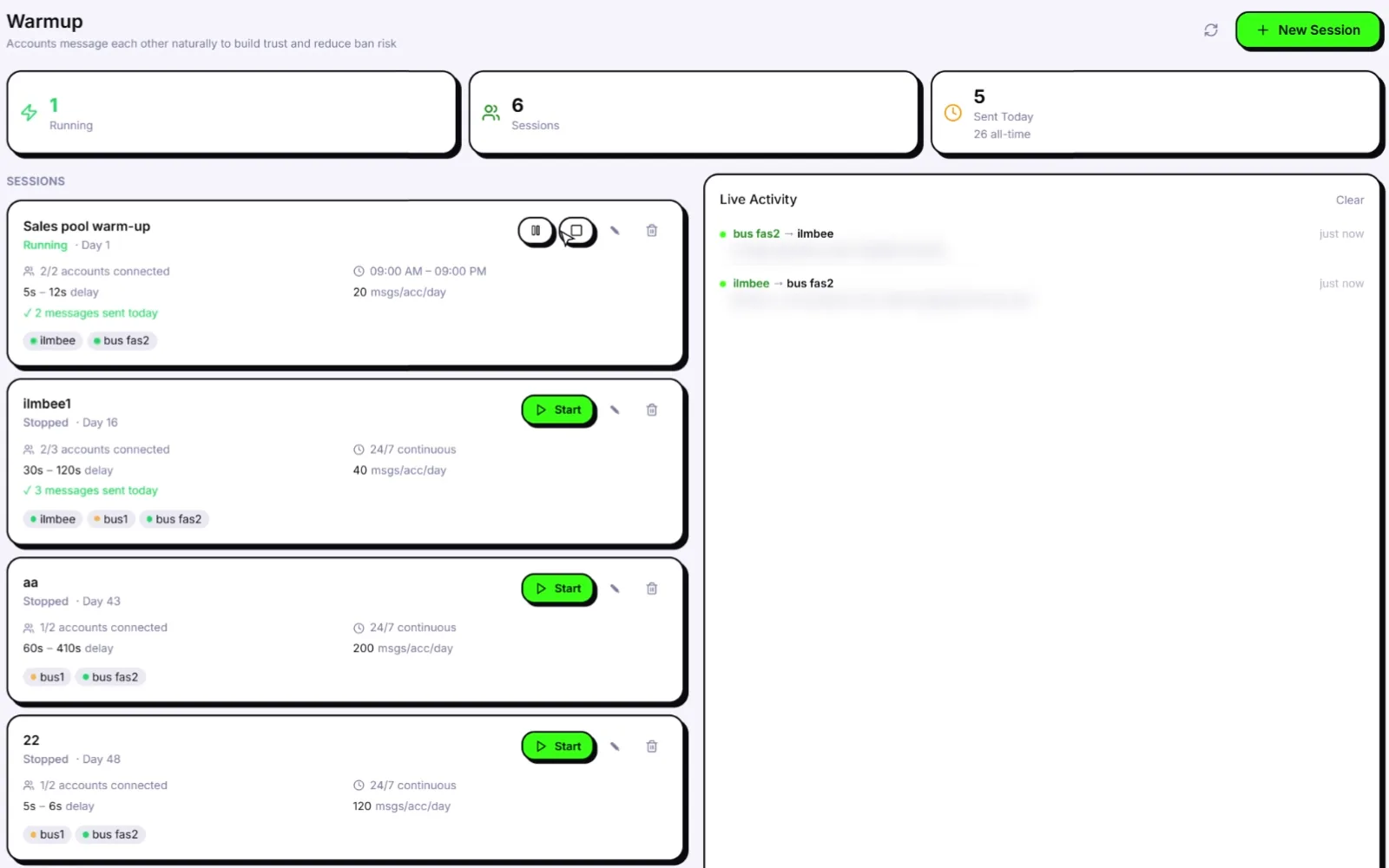
- Your normal accounts. It drives regular WhatsApp and WhatsApp Business through WhatsApp Web sessions. No modified app, no Business API, no Meta approval.
- Isolation per number. Every number gets its own isolated session, browser fingerprint and optional proxy. You bring residential or 4G proxies; Wassuply assigns one per number and checks it for leaks.
- Varied, paced warm-up. Your numbers chat using natural lines from 10 built-in chat packs or your own, never repeated by the same sender, with rotating pairs, random 30-120 second gaps and only inside the hours you set (or 24/7 if you choose).
- No closed loop. Warm-up Pods pair your numbers with other Wassuply users' numbers, with different owners, IPs and countries, for real two-way chats on server-timed turns. You agree before joining that partners will see your number, and you can leave any pod.
- A plan, not a guess. Health & Risk reads each number's age and history and gives days to warm, a safe daily limit and a first campaign size, plus a live 0-100 ban-risk score. With Smart Send Protection switched on in Settings, sending slows at 60 and pauses at 80. A panic button stops everything.
- Paced campaigns. Random 30-90 second gaps, batches of 10, 1-5 minute breaks, blackout hours and daily caps.
One clarification, because it matters: the warm-up chats are not AI-written. AI in Wassuply (your own Claude, ChatGPT or DeepSeek key) writes personalised outreach messages, not warm-up traffic. Why each piece exists is covered in how to avoid a WhatsApp ban.
Warm numbers properly, then send at a human pace
Isolated sessions, Warm-up Pods, Health & Risk plans and paced campaigns in one Windows app. Unlimited numbers on the lifetime licence.
Free account. Windows 10 and 11. Warming and sending need an active licence.
Frequently asked questions
Can WhatsApp detect a WhatsApp warmer?
It can detect automated patterns: WhatsApp says it uses machine learning and user reports to find automated and bulk messaging. A warmer that sends identical lines at fixed intervals between numbers on one IP is easy to spot. Random timing, varied lines, isolated sessions and partners outside your own numbers make warm-up traffic look like ordinary use, but nothing makes it invisible.
Is using a WhatsApp warmer against WhatsApp's terms?
WhatsApp's responsible use guidance tells people not to bulk message or auto-message, so automated warm-up sits outside what WhatsApp wants. That applies to every warmer and bulk sender, not one brand. If you use one, treat the ban risk as yours and keep outreach to people who are likely to want your message.
How long should I warm up a new WhatsApp number?
At least 15 days before the first campaign for a brand-new number, and 30 days if you can wait. Older numbers with real history need less; numbers that have been restricted before need more. Keep a low-volume warm-up running after campaigns start.
Can a warmer fix a restricted or banned number?
No. A restriction ends on its own when its timer runs out, and only WhatsApp can lift a ban, through Request review in the app. Running automation on a restricted number can make things worse. Stop everything, wait out the restriction, then warm up slowly again.
Are free WhatsApp warmers safe?
Free usually means a GitHub script, a trial or a browser extension. Some are honest projects; others are cracked "free downloads" bundled with key generators, a common way to spread malware. Check the publisher, the permissions and where your data goes before connecting a real number.